


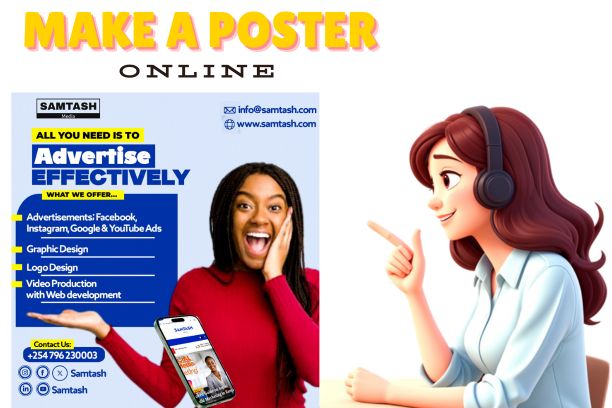
Let’s take a Look at How to Make a Poster, Step-by-Step Guide for School Projects, Events, Church and More.
Creating a poster is a great way to visually communicate ideas, promote events, or present school projects. Whether you’re working on a classroom assignment, designing a promotional flyer, or crafting a digital banner for social media, knowing how to make a poster can help you convey your message clearly and creatively.
This blog will walk you through how to make a poster step by step, offer ideas for using paper or online tools, and guide you in choosing or creating the perfect poster template, even if you’re a beginner.
You don’t need to be a graphic designer; with a little guidance and the right tools, anyone can design a poster easily.
The Purpose of Your Poster
Before jumping into the design process, define the objective. Are you making a poster for a school project? An event? An awareness campaign like “Save Trees” or “Save Water”? Knowing the goal helps you choose the right size, tone, and layout.
Common poster purposes include:
- Educational posters for school presentations
- Promotional posters for businesses or events
- Informational posters for public awareness
Choose Your Poster Format
There are two main ways to make a poster:
- By hand (using paper, markers, etc.)
- Digitally (using apps like Canva or a free poster maker online)
How to make a poster with paper
If you’re going the traditional route:
- Use a large sheet of paper or cardboard
- Gather supplies like markers, colored pencils, glue, scissors, and cut-outs
- Sketch a rough layout on a piece of scrap paper before committing to your design
- Make your title bold and eye-catching at the top
- Use neat handwriting or printed cut-outs for your text sections
- Include drawings or images relevant to your topic
- Keep your layout clean, with ample white space to avoid clutter
This method is perfect for students wondering how to make a poster for school project using limited resources.
Select a Poster Maker Tool (If Designing Online)


Want to design digitally? There are many easy-to-use tools and free poster maker online options. One of the best tools is Canva, a graphic design platform known for its drag-and-drop interface and thousands of poster templates.
Other poster-making tools include:
- PosterMyWall
- Adobe Express
- Visme
- Piktochart
Why choose Canva?
Canva offers both free and premium templates. You can:
- Choose from themed layouts for school, business, or events
- Easily edit text, colors, and images
- Add icons, charts, and graphics
- Download your design in high resolution
Just type “poster” into Canva’s search bar, pick a poster template, and start customizing.
How to Make a Poster Step by Step (Digital)
Here’s a simple step-by-step guide to how to make a poster easy using Canva or another poster maker:
Step 1: Sign in or create an account
Head to www.canva.com or your preferred poster maker and log in.
Step 2: Choose a template
Search for “poster” and browse through various themes. Select one that fits your purpose—educational, business, creative, etc.
Step 3: Customize the layout
Edit the text fields to add your title, subtitle, and body information. You can change the fonts, sizes, and colors.
Step 4: Add visuals
Upload your own images or use free stock photos from the platform. You can also add icons, logos, or decorative shapes.
Step 5: Adjust colors and backgrounds
Make sure your colors match your theme and are easy to read. Use light backgrounds with dark text or vice versa for clarity.
Step 6: Review your design
Double-check spelling, spacing, and alignment. Make sure the most important information stands out.
Step 7: Download and share
Export your poster as a PDF, PNG, or JPG. You can print it or share it online.
How to Make a Poster for a School Project
Students often need posters for subjects like science, history, or social studies. Here’s how to approach a school poster project:
- Topic-focused title: Example: “Save Water, Save Life” or “Photosynthesis Explained”
- Sections: Use subheadings like Introduction, Main Idea, Facts, and Conclusion
- Visuals: Diagrams, graphs, or hand-drawn illustrations
- Neat presentation: Whether done by hand or online, clarity and organization matter
Using Canva’s education templates or starting with a blank layout can make your school project stand out.


Read: How to Create a Unique Brand Online
Tips on How to Make a Poster Easy
Here are quick tips to simplify the process:
- Stick to one to two fonts for a clean look
- Use a grid layout to keep elements aligned
- Highlight keywords or headings in bold or contrasting colors
- Don’t overcrowd your poster—less is more
- Use free poster maker online tools if you’re in a hurry
How to Make a Poster Template for Future Use
If you create posters regularly, consider saving your layout as a reusable template. You can:
- Duplicate your Canva design
- Replace content for different topics or events
- Maintain consistency in branding or classroom presentation
Creative Poster Ideas
Here are a few poster ideas based on common themes:
- How to make a poster on save trees: Use tree graphics, green tones, and impactful slogans
- How to make a poster on save water: Include water drop icons, stats, and catchy taglines
- How to make a poster advertisement: Focus on product benefits, call-to-action, and strong visuals
- How to make a poster drawing: Sketch your idea, scan or photograph it, then add text digitally
Final Thoughts
Whether you’re learning how to make a poster on Word, PowerPoint, or Google Docs, or crafting one using paper and markers, the key is clarity and creativity. Use the right tools for the job, traditional or digital and keep your audience in mind.
Free tools like Canva and other poster maker platforms make it incredibly simple to get started. From school projects to advertising campaigns, knowing how to design an effective poster is a skill worth learning.
So the next time you’re asked to present an idea or promote an event, you’ll know how to make a poster that stands out and communicates effectively.