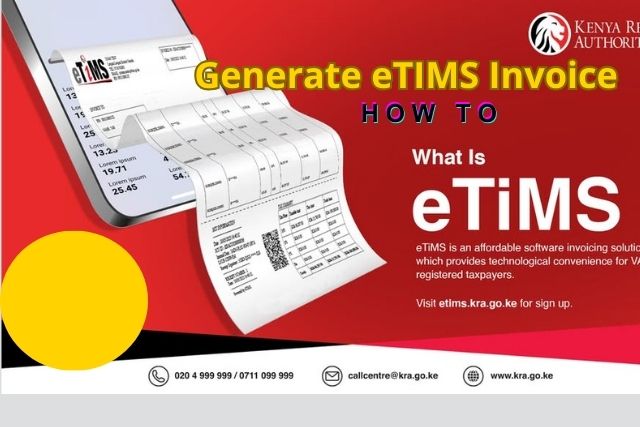
eTIMS Invoice
Are you Looking for How to generate eTIMS invoice on KRA in 2026? Here’s a full step-by-step guide
Kenya’s Electronic Tax Invoice Management System has become the backbone of VAT compliance for businesses across the country. Whether you are a small trader in Eastleigh or a mid-sized enterprise in Westlands, generating a valid eTIMS invoice is no longer optional. Thus, it is a legal requirement enforced by the Kenya Revenue Authority.
Since KRA rolled out eTIMS as the mandatory replacement for the Electronic Tax Register (ETR), taxpayers have adapted to a fully digital invoicing environment. The system offers multiple access points, the eTIMS portal, eCitizen integration, eTIMS Lite for smaller businesses, and a mobile-compatible interface. Hence, giving every registered business a practical path to compliance. This guide walks you through the complete process of eTIMS invoice generation online in 2026, from login to a fully compliant eTIMS sales invoice.
What is an eTIMS invoice and why does it matter?
An eTIMS invoice is a digitally validated tax document generated through KRA’s Electronic Tax Invoice Management System. Every invoice carries a unique Control Unit Invoice Number (CUIN) and a QR code that allows buyers, auditors, and KRA officials to verify its authenticity in real time using the eTIMS invoice checker. Unlike paper receipts or unregistered digital documents, an eTIMS-compliant invoice is the only format KRA recognises for input tax credit claims and business expense deductions.
Failure to issue eTIMS-compliant invoices exposes a business to penalties under the Tax Procedures Act, and purchasing entities can no longer claim input VAT on invoices that are not eTIMS-validated. The stakes are high, and the process is straightforward once you know the steps.
Prerequisites before you generate your first eTIMS invoice
Before you can generate an eTIMS invoice, three things must be in place. First, your business must have an active KRA PIN. You can confirm yours using the KRA PIN checker available on the iTax portal or the eCitizen platform. Second, your business must be registered for VAT or be an eTIMS-registered non-VAT trader where applicable. Third, you must have successfully onboarded onto the eTIMS platform. Onboarding involves selecting the appropriate eTIMS solution for your business size: the full eTIMS portal for medium and large taxpayers, or eTIMS Lite for smaller traders who issue fewer invoices.
Pro tip
If you are unsure whether your business qualifies for eTIMS Lite, contact KRA customer care on their official helpline. KRA customer care interest has risen sharply in 2026 as more traders transition to the digital system, so lines can be busy. The KRA website and eCitizen portal also carry updated guidance documents.
How to generate an eTIMS invoice online: step-by-step
Step 1: Access the eTIMS portal or eCitizen eTIMS
Navigate to the official eTIMS portal via the KRA website or through the eCitizen platform. The eCitizen eTIMS login route has become increasingly popular because it consolidates multiple government services under one authenticated account. If you already have an eCitizen account linked to your KRA PIN, the ecitizen eTIMS invoice path is the fastest. Users who prefer the direct route can go to the KRA eTIMS portal login page independently.
Step 2: Log in with your KRA credentials
Enter your KRA PIN and your eTIMS login password. If you are accessing eTIMS via eCitizen, authenticate using your eCitizen login credentials and then navigate to the tax services section. First-time users who have just completed onboarding will have received a temporary password from KRA. Hence, change this immediately on first login to secure your account.
Step 3: Navigate to invoice generation
Once inside the dashboard, locate the “Sales” or “Invoice” section from the main menu. Select “Create Invoice” or “Generate Invoice” the exact label varies slightly depending on whether you are on the full eTIMS portal or the eTIMS Lite interface. This takes you to the eTIMS invoice generation online form.
Step 4: Fill in the invoice details
Complete all required fields: the buyer’s KRA PIN (mandatory for B2B transactions), buyer name, invoice date, item descriptions, quantities, unit prices, applicable VAT rate, and any exempt or zero-rated line items. The system auto-calculates totals and tax figures. For a valid eTIMS compliant invoice, every line item must be classified correctly under KRA’s commodity codes. An eTIMS invoice template is available on the KRA portal to guide first-time users through the correct format.
Step 5: Submit and receive the validated invoice
After reviewing all entries, click “Submit” or “Generate.” The eTIMS system transmits the invoice data to KRA servers in real time. Within seconds, the invoice receives a CUIN and an embedded QR code, confirming it is eTIMS-validated. You can then download the eTIMS invoice PDF directly from the portal for your records and to share with the buyer.
Step 6: Share and archive
Send the eTIMS invoice PDF to your customer via email, WhatsApp, or any digital channel. Store a copy in your accounting records. The invoice remains retrievable from the eTIMS portal at any time. The eTIMS invoice download function allows you to pull historical invoices by date range or invoice number.
Generating an eTIMS invoice on your phone
One of the most significant improvements in 2026 is the mobile-optimised experience on both the eTIMS portal and the eCitizen platform. To generate an eTIMS invoice on your phone, open your mobile browser and navigate to the eTIMS portal or eCitizen. The interface adjusts automatically for smaller screens. Alternatively, businesses using integrated Point-of-Sale (POS) systems or accounting software can push invoices to eTIMS via the KRA API, making mobile and tablet invoice generation seamless without manually entering data into the portal each time.
Troubleshooting: what to do when eTIMS is unable to sync an invoice
A common frustration among users is seeing the message “eTIMS unable to sync invoice.” This typically occurs due to a network timeout, an incorrect buyer KRA PIN, a mismatch in commodity codes, or a temporary KRA server issue. The recommended steps are to first check your internet connection, verify the buyer’s PIN using the KRA PIN checker, and resubmit. If the problem persists, KRA customer care can escalate the issue. Thus, note that sync errors do not delete the draft invoice, so your data remains safe in the portal.
Using the eTIMS invoice checker to verify compliance
Any party, buyer, seller, or auditor can verify an eTIMS invoice’s authenticity using the eTIMS invoice checker, available on the KRA website. Simply enter the CUIN or scan the QR code on the invoice PDF. A valid result confirms the invoice is KRA-registered and tax-compliant. This tool is especially useful for procurement officers and finance teams carrying out supplier compliance checks before processing payments.
Generating an eTIMS invoice in 2026 is a process that has grown more intuitive with each update KRA rolls out. The availability of eTIMS Lite, mobile-compatible portals, eCitizen integration, and robust customer care has made compliance achievable for businesses of every size. Staying current with your eTIMS obligations protects your input tax claims, maintains your good standing with KRA, and positions your business as a credible, compliant partner in Kenya’s growing digital economy.