
How to Deposit Money
Are you Looking for How to Deposit Money on Your Account? Here’s a Guide on how Deposit in All Accounts.
Depositing money is a fundamental financial transaction that allows individuals to fund their bank accounts, mobile wallets, or betting accounts.
Whether you are transferring money to a bank, making an online deposit, or funding a betting account.
This guide covers the most common methods of depositing money, particularly in Kenya, using M-Pesa.
How to Deposit Money from M-Pesa to an Equity Bank Account

Depositing money from M-Pesa to your Equity Bank account is quick and convenient. Follow these steps:
- Open the M-Pesa Menu: On your mobile phone, dial *334# or open the M-Pesa app.
- Select Lipa na M-Pesa: Choose the option for Paybill.
- Enter Equity Bank Paybill Number: The official Equity Bank Paybill number is 247247.
- Enter Your Equity Account Number: Input your bank account number correctly.
- Enter the Amount: Specify the amount you wish to deposit.
- Confirm and Enter Your M-Pesa PIN: Verify the details, then enter your PIN.
- Receive Confirmation: You will receive an SMS from M-Pesa and Equity confirming the transaction.
How to Deposit Money to Co-operative Bank from M-Pesa
To deposit money into your Co-operative Bank account using M-Pesa:
- Go to M-Pesa Menu: Dial *334# or use the M-Pesa app.
- Select Lipa na M-Pesa and choose Paybill.
- Enter Co-operative Bank Paybill Number: The official Co-operative Bank Paybill number is 400200.
- Input Your Account Number: Enter your Co-operative Bank account number.
- Specify the Amount: Input the amount you wish to transfer.
- Confirm and Enter Your M-Pesa PIN: Double-check the details and input your PIN.
- Transaction Confirmation: You will receive an SMS confirmation from M-Pesa and Co-operative Bank.
How to Deposit Money to Equity Bank from M-Pesa
The process of depositing money to Equity Bank is similar to the method mentioned above:
- Open the M-Pesa Menu
- Select Lipa na M-Pesa and Choose Paybill
- Enter Equity Paybill Number 247247
- Provide Your Equity Account Number
- Enter the Amount
- Confirm and Input Your M-Pesa PIN
- Receive Confirmation Message
How to Deposit Money to KCB Account from M-Pesa

For those banking with Kenya Commercial Bank (KCB), follow these steps:
- Go to M-Pesa Menu and Select Lipa na M-Pesa
- Enter KCB Paybill Number: The official KCB Paybill number is 522522.
- Input Your KCB Account Number
- Enter the Amount You Want to Deposit
- Confirm and Input Your M-Pesa PIN
- Wait for Confirmation from M-Pesa and KCB
How to Make Money Online
Aside from depositing money, many people are looking for ways to make money online. Some of the most effective methods include:
- Freelancing: Offer services such as writing, graphic design, and programming on platforms like Upwork and Fiverr.
- Affiliate Marketing: Earn commissions by promoting products from companies like Amazon and Jumia.
- Selling Digital Products: Create and sell e-books, courses, or stock photos online.
- Blogging and YouTube: Monetize content through ads, sponsorships, and memberships.
How to Deposit to Betika Using Paybill
For those who want to fund their Betika accounts, follow these steps:
- Go to M-Pesa Menu and Select Lipa na M-Pesa
- Enter Betika Paybill Number: Use 290290 as the business number.
- Enter Your Betika Account Number: Use your registered Betika phone number.
- Specify the Deposit Amount
- Enter Your M-Pesa PIN and Confirm the Transaction
- Wait for a Confirmation SMS from M-Pesa and Betika
Top Banks to Save Money
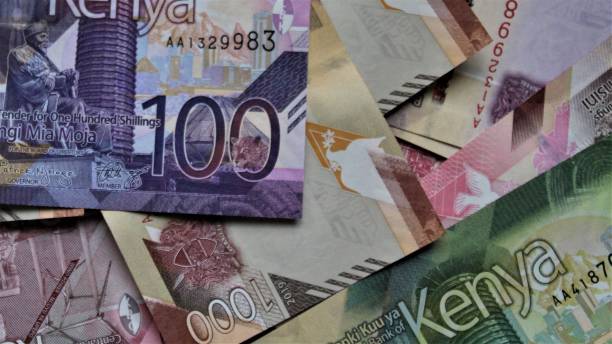
Saving money is a crucial step in financial planning. Choosing the right bank ensures that your funds are secure while earning interest. Here are some of the top banks in Kenya for saving money:
- Equity Bank – Offers various savings accounts, including fixed deposit options with competitive interest rates.
- KCB (Kenya Commercial Bank) – Provides savings accounts with interest benefits and mobile banking access.
- Co-operative Bank – Features a range of savings products, including group savings accounts.
- NCBA Bank – Known for high-interest savings accounts and digital banking services.
- ABSA Bank Kenya – Offers flexible savings plans with attractive interest rates.
- Stanbic Bank – Provides financial solutions for long-term savings and investment accounts.
Read: How to Buy Shares
How to Deposit on Odibet
Depositing money into an Odibet account is straightforward:
- *Dial 334# or Open the M-Pesa App
- Go to Lipa na M-Pesa and Choose Paybill
- Enter Odibet Paybill Number: Use 290680 as the business number.
- Enter Your Odibet Account Number: This is usually your phone number.
- Input the Amount and Enter Your M-Pesa PIN
- Confirm the Transaction and Wait for Confirmation
How to Deposit Money to Skrill from M-Pesa
To fund your Skrill account using M-Pesa:
- Use a Skrill-Approved Payment Service: Third-party services like Skrill partners or Paybill options can be used.
- Log in to Skrill and Generate a Deposit Request
- Use M-Pesa to Complete the Transaction
- Confirm the Deposit and Check Your Skrill Balance
Read: How to Pay Hustler Fund
How to Deposit Money as an M-Pesa Agent
M-Pesa agents can deposit money into their float accounts using the following method:
- Go to the M-Pesa Menu and Select Agent Services
- Choose Float Transfer and Enter Agent Number
- Specify the Amount to Transfer
- Enter Your M-Pesa Agent PIN and Confirm the Transaction
- Receive an SMS Confirmation from M-Pesa
Conclusion
Depositing money, whether into a bank, betting account, or an online wallet, has been made easy through mobile money services like M-Pesa.
By following the step-by-step guides provided above, you can ensure secure and seamless transactions.
Whether you are funding a personal bank account, betting wallet, or digital payment platform, M-Pesa remains one of the most reliable methods for quick transactions in Kenya.